
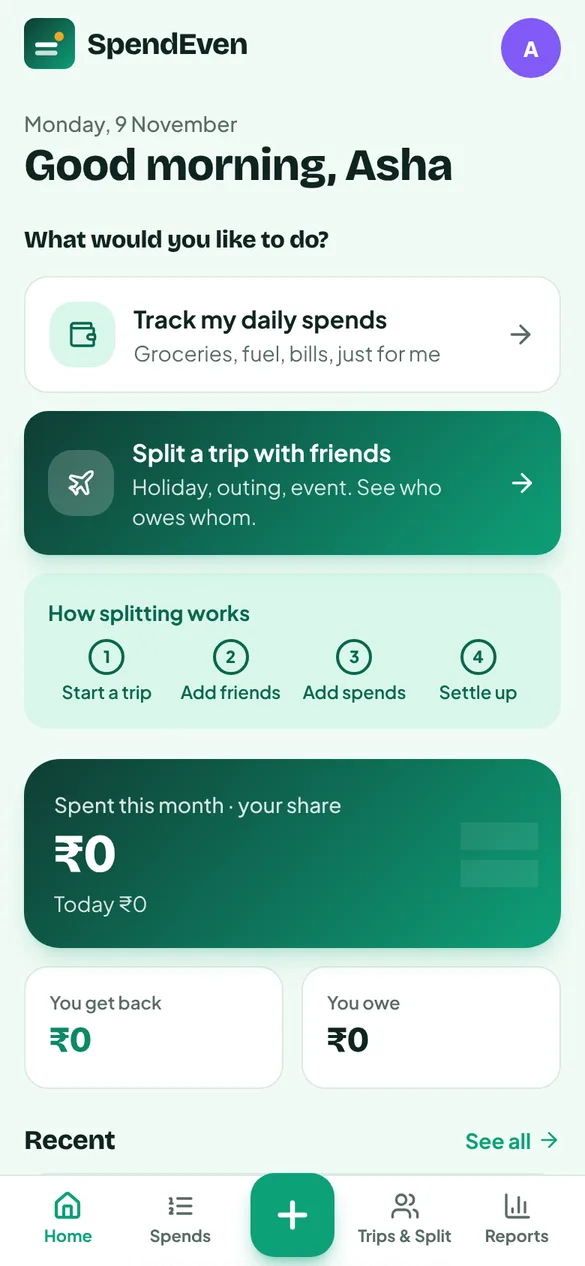
Getting started
Two clear choices — track your daily spends, or split a trip with friends — and how splitting works in four steps.

A personal expense tracker for Indian households — daily spends, trips, events and programs — that also splits shared costs fairly between families and friends, and settles them over UPI.
Made for the way Indian families actually spend — chai and kirana every day, a Goa trip with two other families, a wedding, a home renovation. Your reports count only your own share; what others owe you is kept separately, and settled with one tap on UPI.
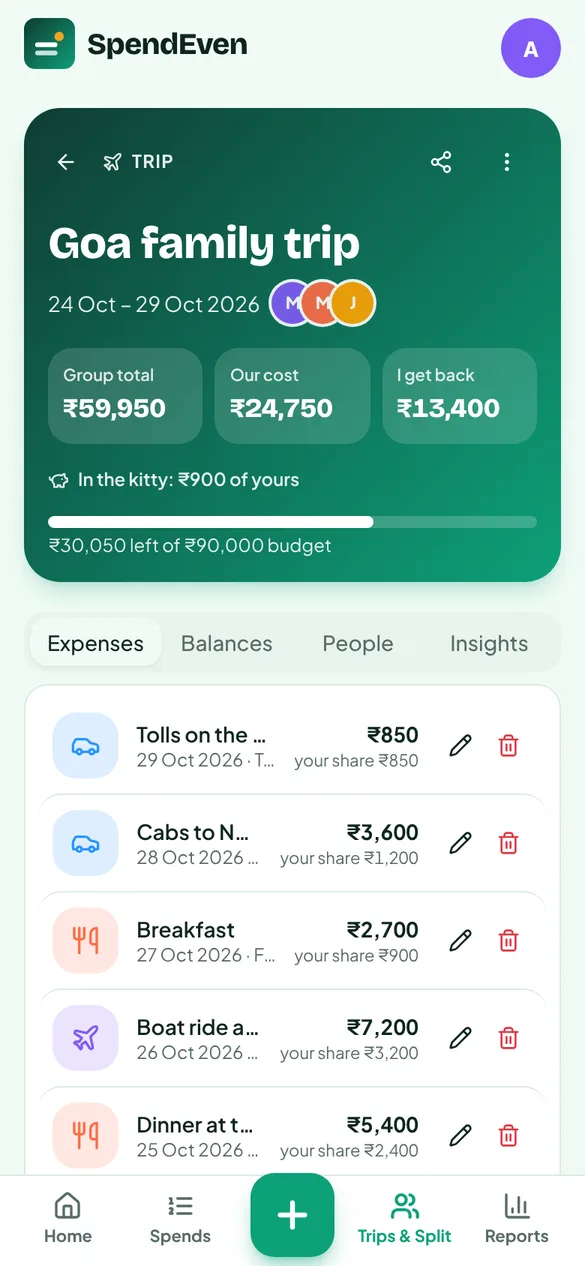
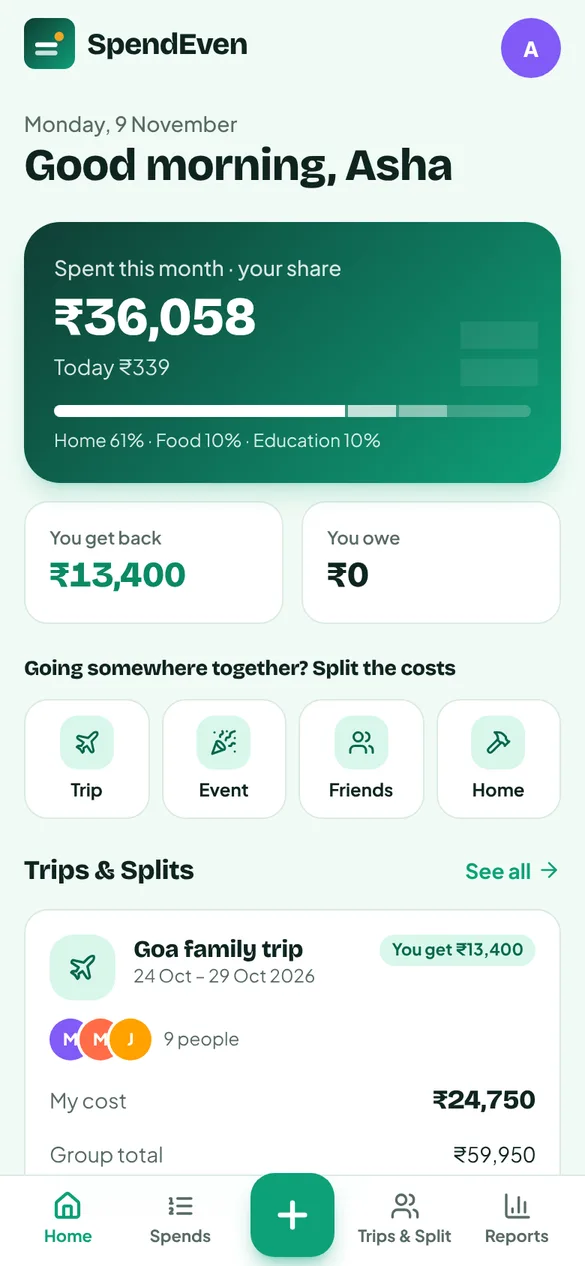
A trip with friends, a family wedding or a month of household spends — each one gets its own book of people, bills and balances.
Expenses written in a diary, or not at all
Add a spend in seconds — say “chai 40 rupees”, or attach a photo of the bill
Rent, EMIs and fees typed in again every month
Recurring spends add themselves on their date, every morning
A trip with three families settled on a calculator at the end
Every bill split as it happens — equally, by heads, exact amount or percentage
Someone joins on day three, or a guest comes for one dinner
Each person has a join date; guests share only their bills, or are covered by someone
One person keeps every bill for the whole group
Invite members to their own login — they add their own bills from their phone
Chasing friends for money you are owed
A WhatsApp reminder with the amount and your UPI ID, ready to send
Real screens from SpendEven, shown with a sample family and their Goa trip.
Two clear choices — track your daily spends, or split a trip with friends — and how splitting works in four steps.
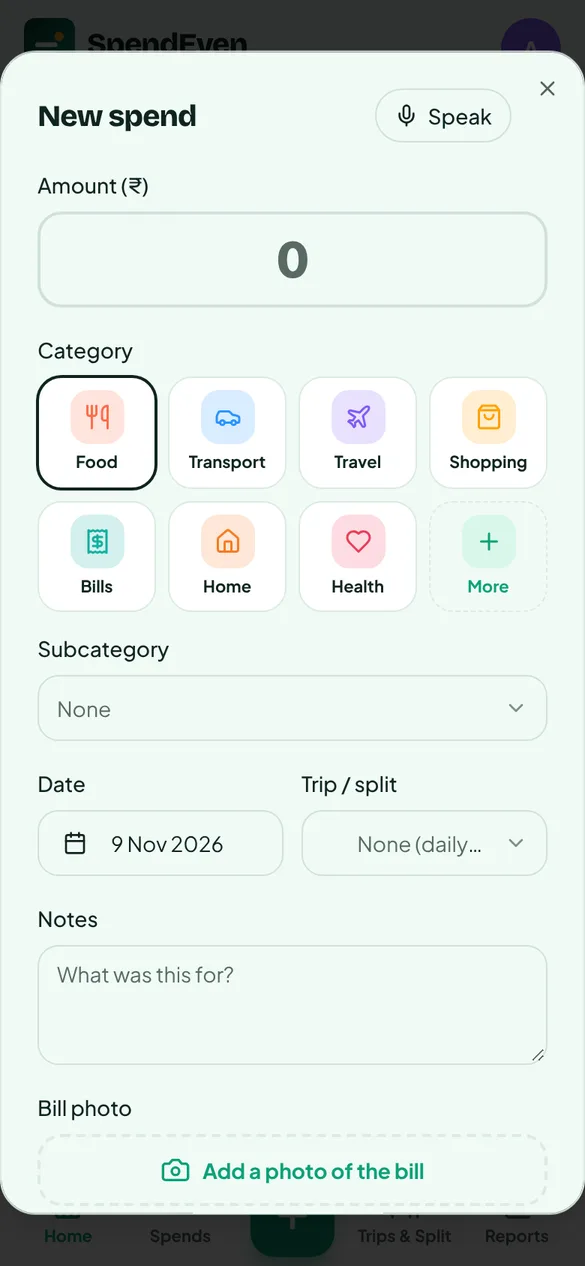
Amount, category, date and trip — say it with Speak, and add a photo of the bill.
Group total, your own cost, what you get back, your money in the kitty and the budget left.
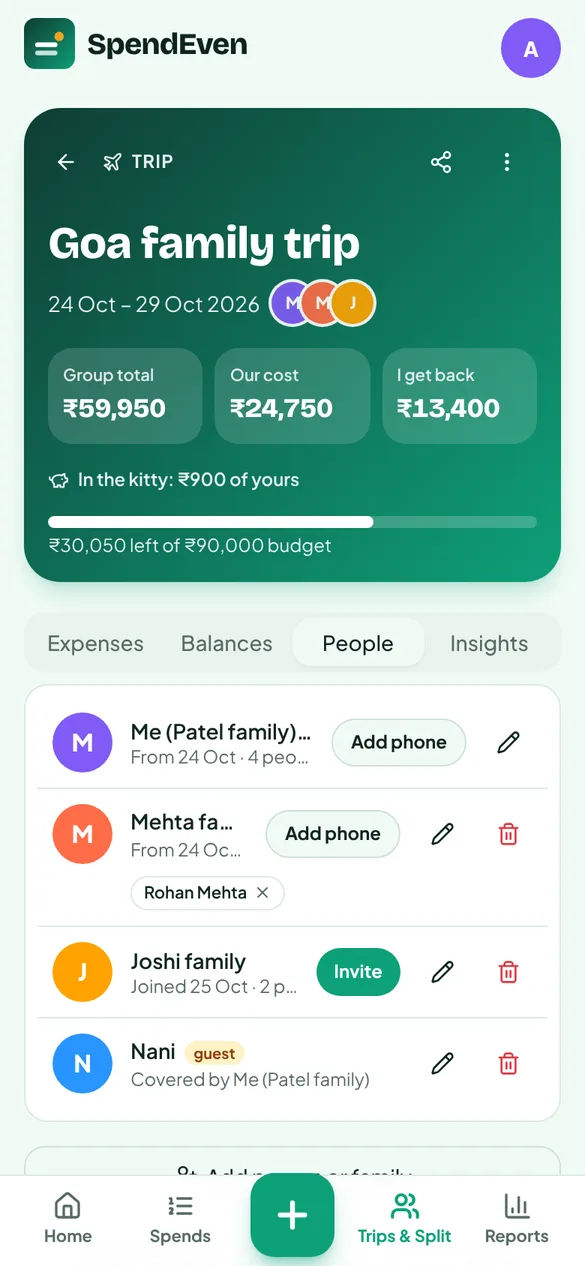
Families with head counts, who joined when, guests covered by someone, and invites to their own login.
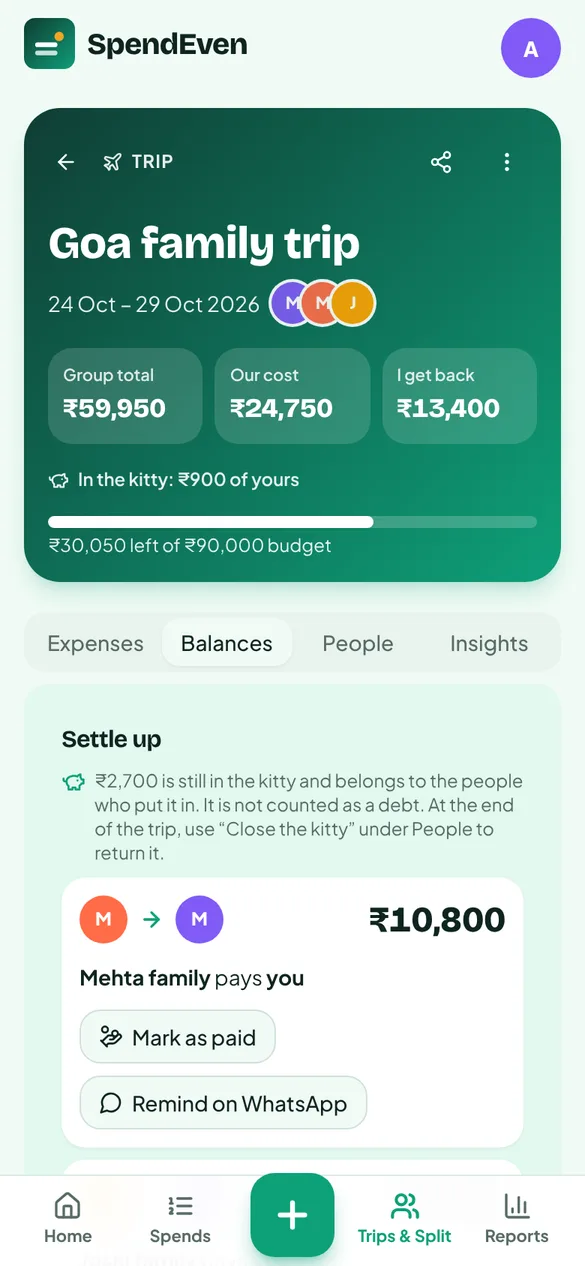
The fewest payments to settle everyone. Mark as paid, or remind on WhatsApp.
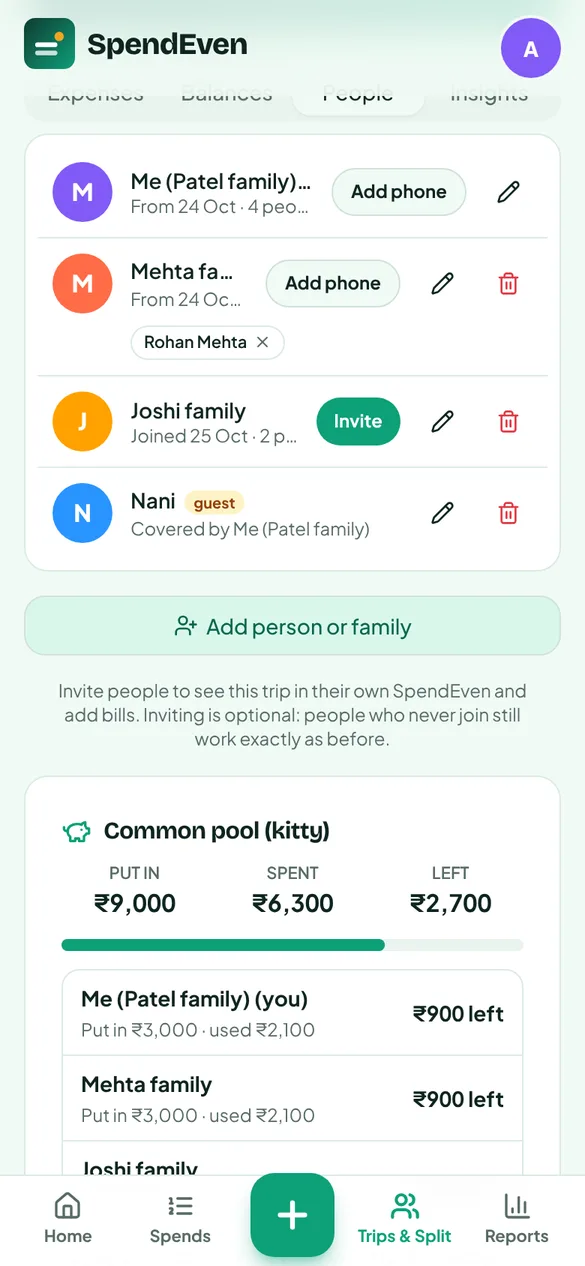
A common pool that works like a cash box: put in, spent and left, for each person.
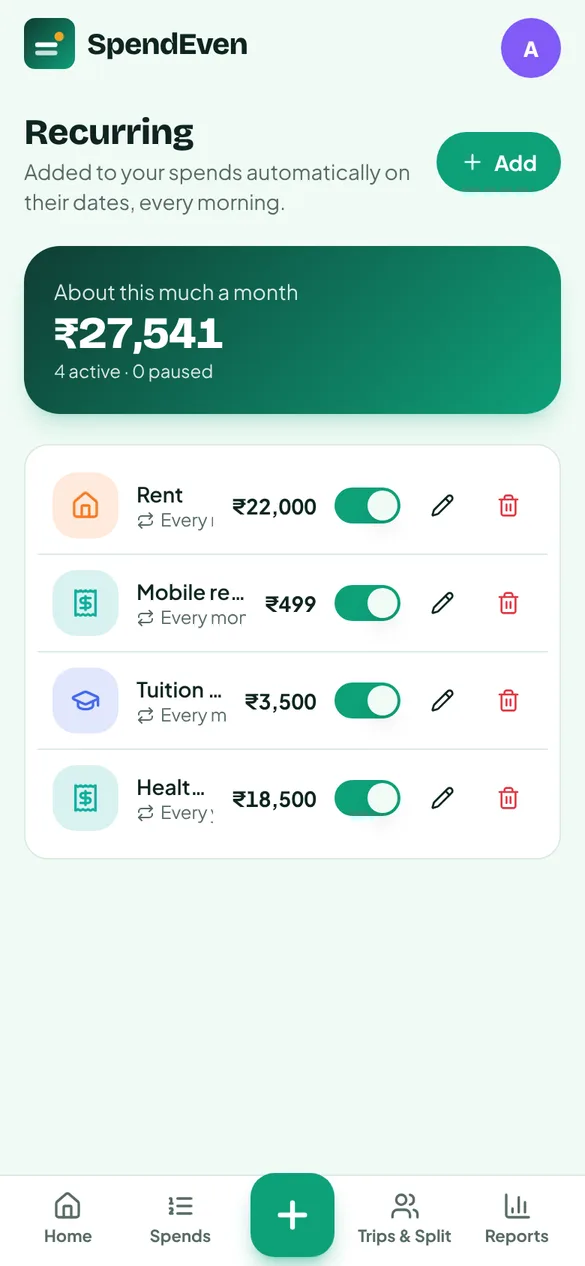
Rent, fees and premiums added automatically on their date — monthly, weekly or yearly.
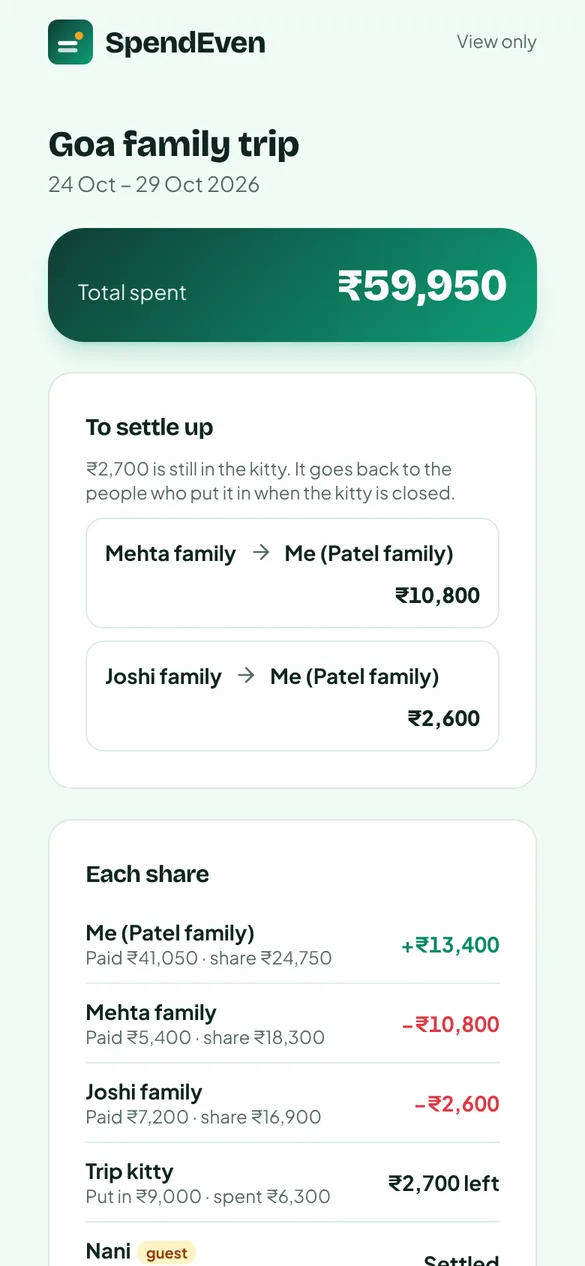
Friends and family see the bills and each share without installing anything.
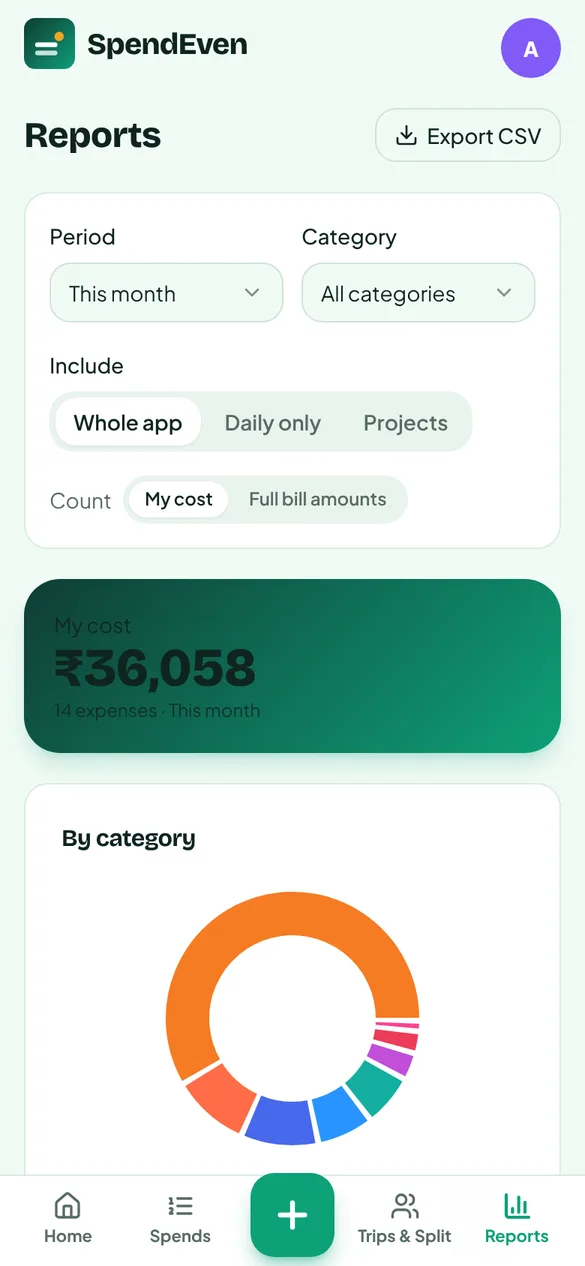
Any period, by category and subcategory — whole app, daily only, or chosen trips. CSV for Excel.
Seven parts, one app — on the phone in your hand and the computer on your desk.
Everyday money, recorded the moment it is spent.
Trips, events, outings and home work, each with its own book.
Six ways to split, chosen per bill.
Who owes whom, worked out to the fewest payments.
Everyone can add their own bills, from their own phone.
Where the money went, counted honestly.
Rupees, UPI and three languages from day one.
SpendEven on Google Play and the App Store.
Photograph a bill or a diary page and the amount and category are filled in.
The whole app in your language — voice entry already understands both.
Split one restaurant bill dish by dish between the people who ate them.
Yes. SpendEven is free to use on the web today. Sign in with Google or with your email.
No. You add them as people — a person or a whole family — and send them the view-only link to see every bill and their share. If they would like to add bills themselves, invite them: they get a personal link on WhatsApp and sign in with Google or email.
Each person has a join date, so new bills include only the people on the trip that day. A one-off guest shares only the bills you tick — their share can be covered by someone, or they can pay for themselves.
Never. “Pay with UPI app” only opens your own UPI app with the amount filled in. You approve the payment there, as always. SpendEven only records that it was paid. The kitty is a record of the group’s cash, not a wallet.
Your Food reports show ₹2,000 — your own cost. The other ₹1,500 shows as money owed to you, until it is settled. You can switch reports to full bill amounts if you prefer.
Only you, and the members you invite to a trip — they see that trip only. Every row is protected in the database itself (row-level security). Bill photos are stored privately. A view-only link shows one trip, and you can turn it off at any time.
SpendEven works in any phone browser today and can be added to your home screen like an app. The Play Store and App Store versions are on the way.
Planning a retreat, a yatra or a group program and want SpendEven set up for it? Or simply have a suggestion? Write to us — we read every message.